Key Takeaways
- Gemini 3 transforms stock research by summarizing thousands of pages of financial filings in seconds.
- You can use specific prompts to compare stocks, evaluate risks, and build thematic portfolios instantly.
- While powerful, Gemini 3 has limitations regarding real-time trading signals and specialized financial data.
- Combining Gemini’s broad analysis with Intellectia.ai’s specialized tools like the AI Stock Picker and Whales Auto Tracker creates a complete investing strategy.
Introduction
Have you ever felt completely overwhelmed by the sheer volume of data in the stock market? You aren't alone. Every quarter, thousands of companies release earnings reports, 10-K filings, and press releases. Trying to read even a fraction of this information is impossible for a single person. You might find yourself staring at a screen, paralyzed by the numbers, eventually making a trade based on a gut feeling rather than hard data—only to see the stock drop the next day.
This is the "analysis paralysis" that plagues modern investors. You know the winning information is out there, buried in a footnote of a 100-page PDF, but you just can't find it fast enough.
Expert investors have realized that the solution isn't to work harder; it's to use better tools. Artificial Intelligence has shifted from a novelty to a necessity in finance. Specifically, Large Language Models (LLMs) like Google's Gemini have become capable of reading and synthesizing financial data faster than any team of analysts. By leveraging these tools, you can cut your research time by 90% and uncover insights that others miss.
In this guide, you will learn exactly how to use Gemini 3 for stock research, from basic overviews to complex risk assessments. You will also discover how to pair this generalist AI with specialized platforms like Intellectia.ai to gain a true edge in the market.
Source: intellectia.ai
What Is Gemini 3 and Why It Matters for Investors
Gemini 3 Overview
Google's Gemini represents a massive leap forward in AI capabilities. Unlike older models that only understood text, Gemini is "multimodal," meaning it can understand text, images, charts, and even code simultaneously. For an investor, this is revolutionary. It means you can upload a screenshot of a technical chart, a PDF of an annual report, and a spreadsheet of historical prices, and ask Gemini to analyze them all together.
Gemini 3 (representing the latest evolution of the model) boasts a massive context window. In simple terms, this means it can "hold" a huge amount of information in its memory at once. You can feed it the last three years of earnings call transcripts for a company like Tesla, and it can remember every detail to answer your specific questions.
Why Gemini 3 Is Becoming a Popular Stock Research Tool
The primary reason Gemini for investors is gaining traction is speed. What used to take a weekend of reading can now be done in thirty seconds. But it's not just about saving time; it's about democratization.
Previously, only hedge funds had the technology to "scrape" thousands of documents and extract sentiment or risk factors. Now, with Gemini investment analysis, you have a junior analyst at your fingertips 24/7. You can ask it to explain complex accounting terms, compare the competitive advantages of different semiconductor companies, or summarize the "Management Discussion and Analysis" section of a boring 10-K filing.
However, having the tool is only half the battle. You need to know how to talk to it.
How to Use Gemini 3 for Stock Research (Step-by-Step)
To get the most out of Gemini stock research, you need to treat it like a talented intern. You must give it clear instructions, context, and specific constraints. Below are four powerful methods you can use today.
(Note: For each step, imagine uploading the relevant financial documents or using Gemini’s web-browsing feature if available).
Method 1 — Ask Gemini 3 for a Stock Overview
When you are first looking at a new company, you don't want to get bogged down in the weeds immediately. You need a high-level view of its financial health and recent performance.
The Prompt:
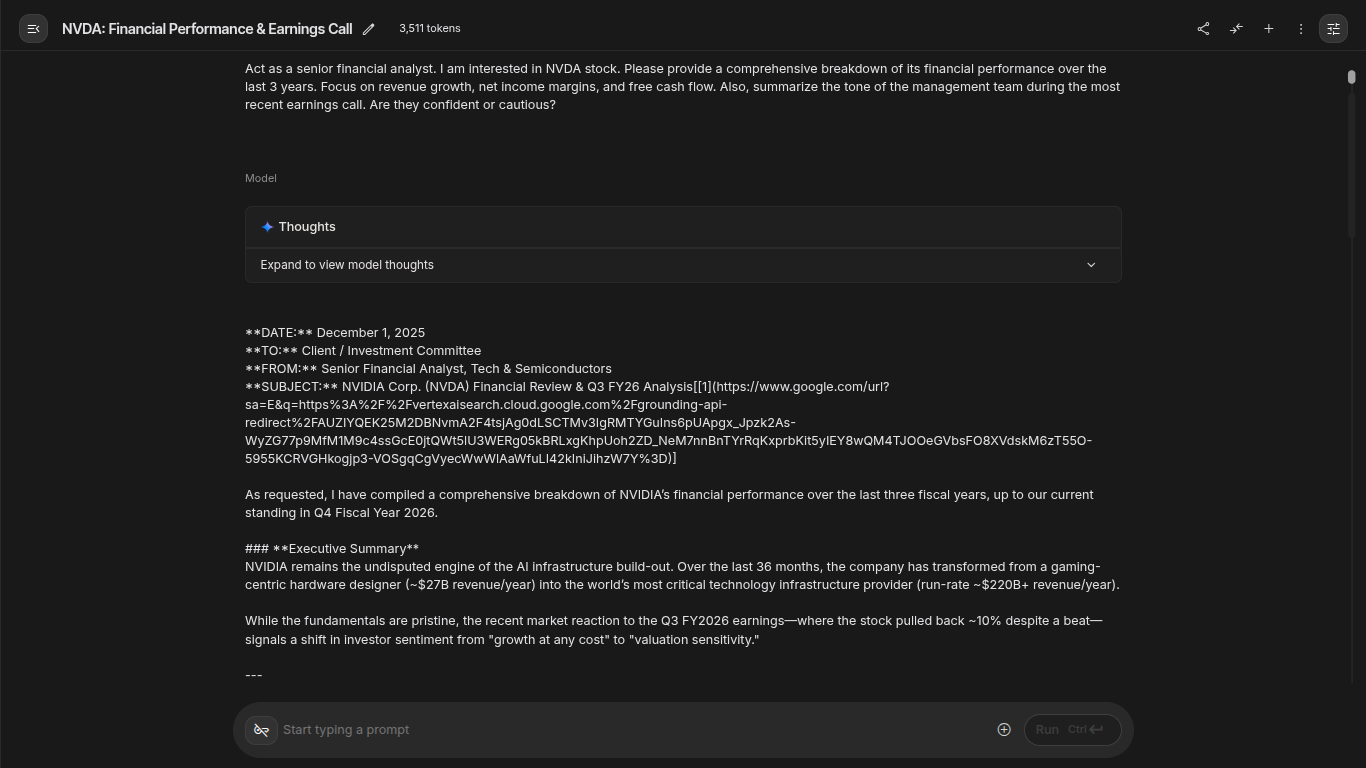
> "Act as a senior financial analyst. I am interested in [Stock Ticker, e.g., NVDA]. Please provide a comprehensive breakdown of its financial performance over the last 3 years. Focus on revenue growth, net income margins, and free cash flow. Also, summarize the tone of the management team during the most recent earnings call. Are they confident or cautious?"
What to Look For:
Gemini will pull data to show you the trend. Is revenue accelerating? Is the company becoming more profitable? Crucially, the "tone analysis" of the earnings call is something standard stock screeners cannot do. If Gemini notes that the CEO used words like "headwinds," "uncertainty," or "challenges" frequently, that is a red flag you might have missed by just looking at the numbers.
Source: Gemini 3
Method 2 — Compare Stocks
Deciding between two competitors is one of the hardest parts of investing. Google Gemini investing capabilities shine here because the AI can hold data on multiple companies simultaneously and draw direct comparisons.
The Prompt:
> "Compare Microsoft (MSFT), Google (GOOGL), and Amazon (AMZN) specifically regarding their AI revenue exposure. Which company is currently generating the most tangible revenue from AI services, rather than just promising future growth? Create a table comparing their P/E ratios, recent cloud growth rates, and key AI product launches in the last 12 months."
Why This Works:
Instead of opening six different tabs in your browser and trying to memorize numbers, Gemini creates a structured comparison table for you. This allows you to spot valuation anomalies instantly—for example, if one company has much higher growth but a lower P/E ratio than its peers, it might be undervalued.
Method 3 — Evaluate Risk
Most investors focus on how much money they can make. Successful investors focus on how much they could lose. You can use Gemini AI for stock analysis to dig through the "Risk Factors" section of regulatory filings, which are often dull and full of legal jargon.
The Prompt:
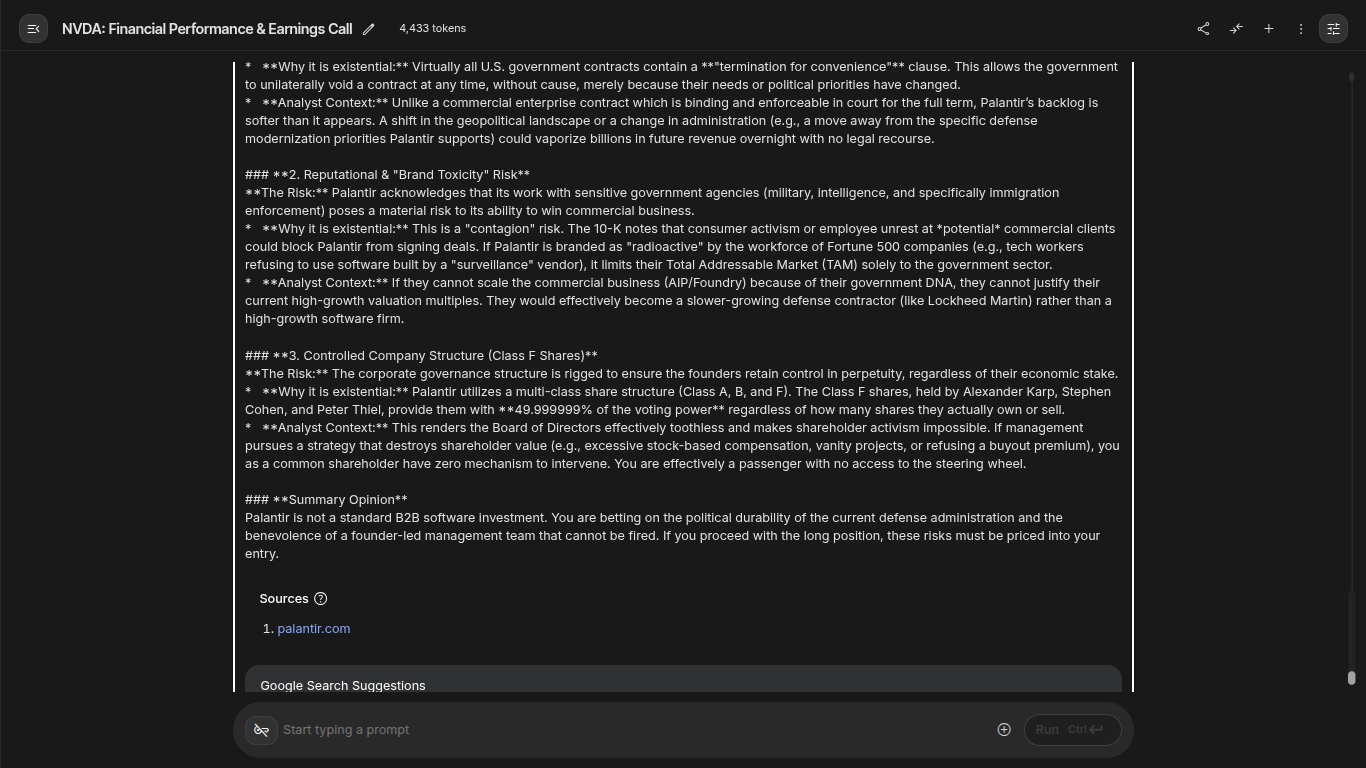
> "I am considering a long position in Palantir (PLTR). Review the 'Risk Factors' section of their latest 10-K filing. Summarize the top 3 existential risks to the business. Ignore generic risks like 'general economic conditions' and focus on company-specific issues like customer concentration, government contract dependency, or litigation."
The Insight:
Gemini might highlight that a company relies on three clients for 50% of its revenue. This is a critical piece of information. If one of those clients leaves, the stock could crash. Finding this specific detail manually requires hours of reading; Gemini finds it in seconds.
Source: Gemini 3
Method 4 — Build a Portfolio Around Themes
Sometimes you want to invest in a trend rather than a specific company. This is called thematic investing.
The Prompt:
> "I want to build a long-term portfolio focused on 'US Re-industrialization and Green Energy Infrastructure.' I have a budget of $5,000. Suggest a portfolio of 5-7 stocks that cover different aspects of this theme (e.g., materials, construction, utilities). Explain the role of each stock in the portfolio and allocate the capital based on risk (higher allocation to stable blue chips)."
The Result:
Gemini will act as a portfolio manager, suggesting a mix of stocks. It might suggest a copper miner (for materials), a machinery company (for construction), and a regulated utility (for stability). This gives you a starting point for further research.
Limitations of Using Gemini 3 for Investing
While Gemini stock capabilities are impressive, you must be aware of its limitations. Relying solely on a general-purpose AI for your financial future can be dangerous.
It Can "Hallucinate" Numbers
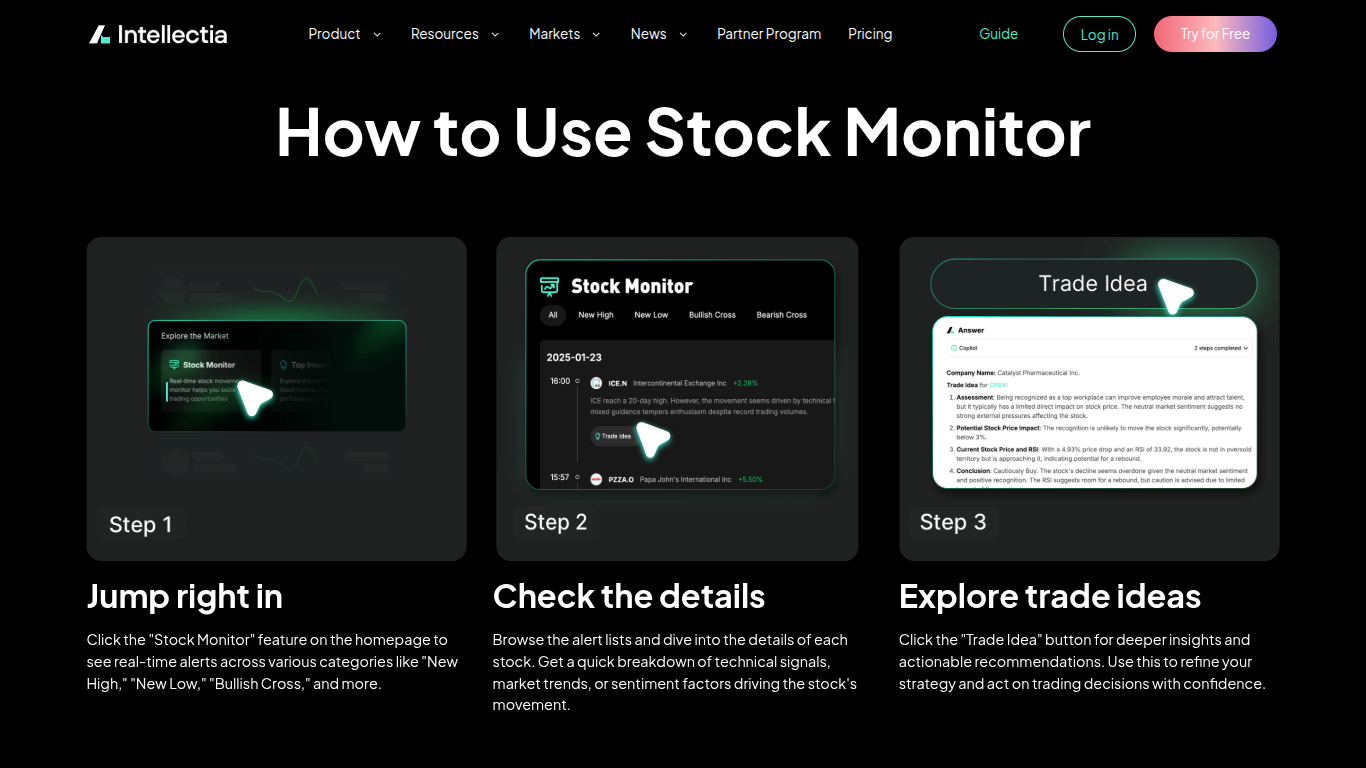
Large Language Models sometimes make things up. Gemini might confidently state that a company’s revenue was $10 billion when it was actually $12 billion. It is a language model, not a calculator. You must always verify the raw numbers with a trusted source like Intellectia’s Stock Monitor.
Source: intellectia.ai
Lack of Real-Time Trading Signals
Gemini is great for research, but it isn't a trader. It doesn't monitor the market tick-by-tick. It cannot tell you that a "Golden Cross" pattern just formed on the hourly chart of Apple, or that institutional volume is spiking right now.
What Intellectia Provides That Gemini 3 Cannot
This is where specialized tools come in. Intellectia.ai is built specifically for financial markets. Unlike Gemini, which is trained on the entire internet (including recipes and fiction), Intellectia’s models are fine-tuned on financial data, chart patterns, and trading signals.
Gemini gives you the research; Intellectia gives you the signal.
How Intellectia.ai Enhances Gemini 3 for Investors
To truly succeed in using AI for stock trading, you should combine the broad research capabilities of Gemini with the precision tools of Intellectia. Here is how they work together to create a professional-grade workflow.
1. From Research to Selection
You use Gemini to identify a theme, say "Cybersecurity." It gives you a list of 10 interesting companies. Now, which one do you buy?
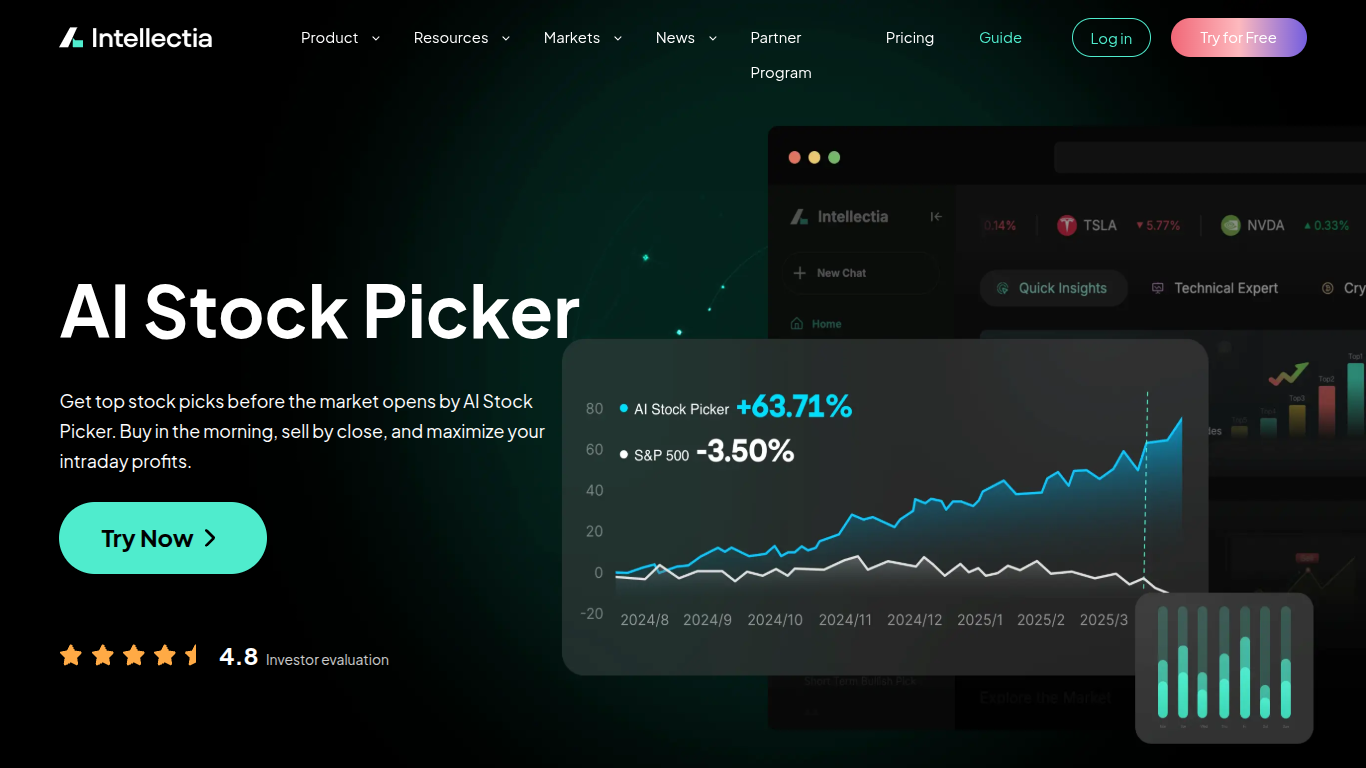
You can plug those tickers into Intellectia’s AI Stock Picker. This feature doesn't just read text; it analyzes price action, volume, and sentiment to rank those stocks. It might tell you that while CrowdStrike has great fundamentals (which Gemini told you), the technicals suggest it is currently overbought and you should wait for a pullback.
Source: intellectia.ai
2. Timing Your Entry
Gemini might tell you what to buy, but it rarely tells you when.
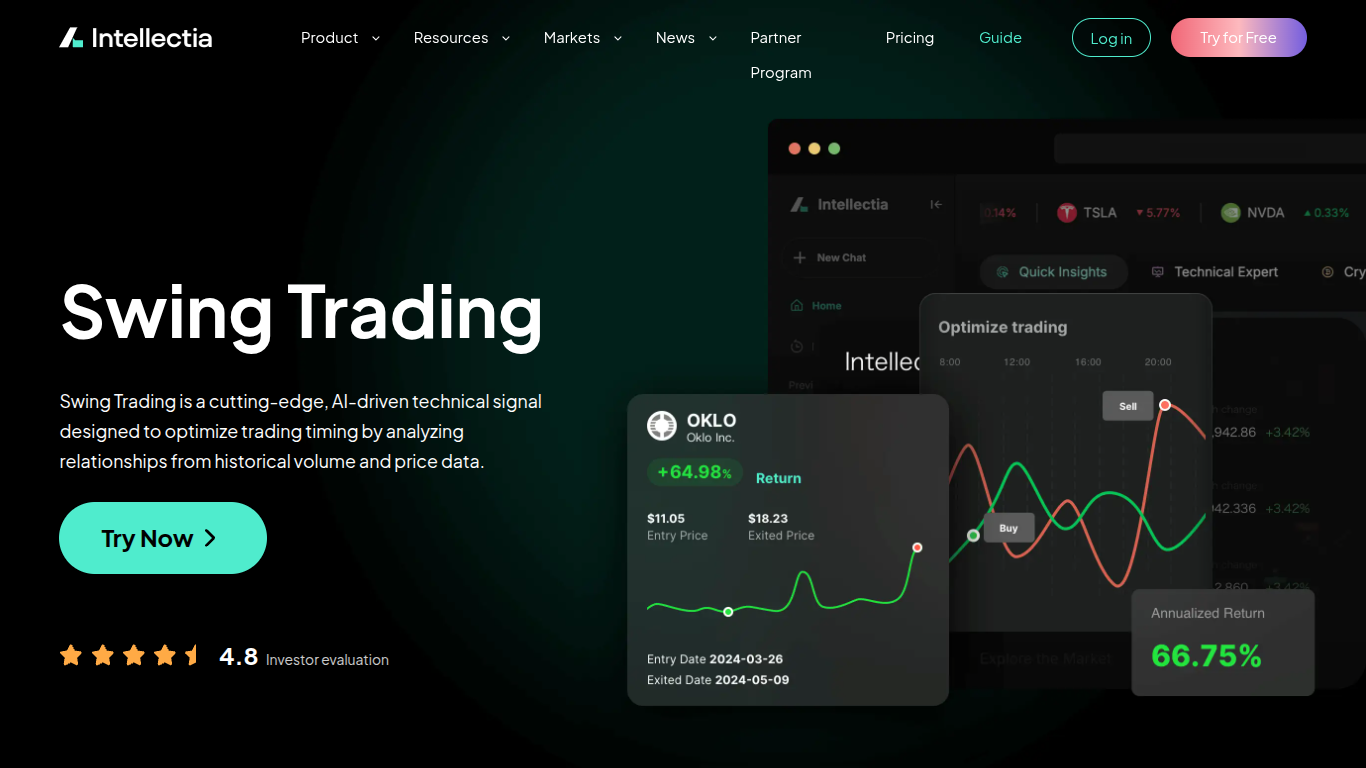
Once you have selected a stock, you can use the Swing Trading feature on Intellectia. This tool scans for technical setups and provides clear buy and sell signals. It takes the guesswork out of entry and exit points, helping you maximize the returns on the investment thesis you developed with Gemini.
Source: intellectia.ai
3. Monitoring "Smart Money"
Gemini can analyze public filings, but those are often weeks old. By the time you read a 13-F filing, the hedge fund might have already sold the stock.
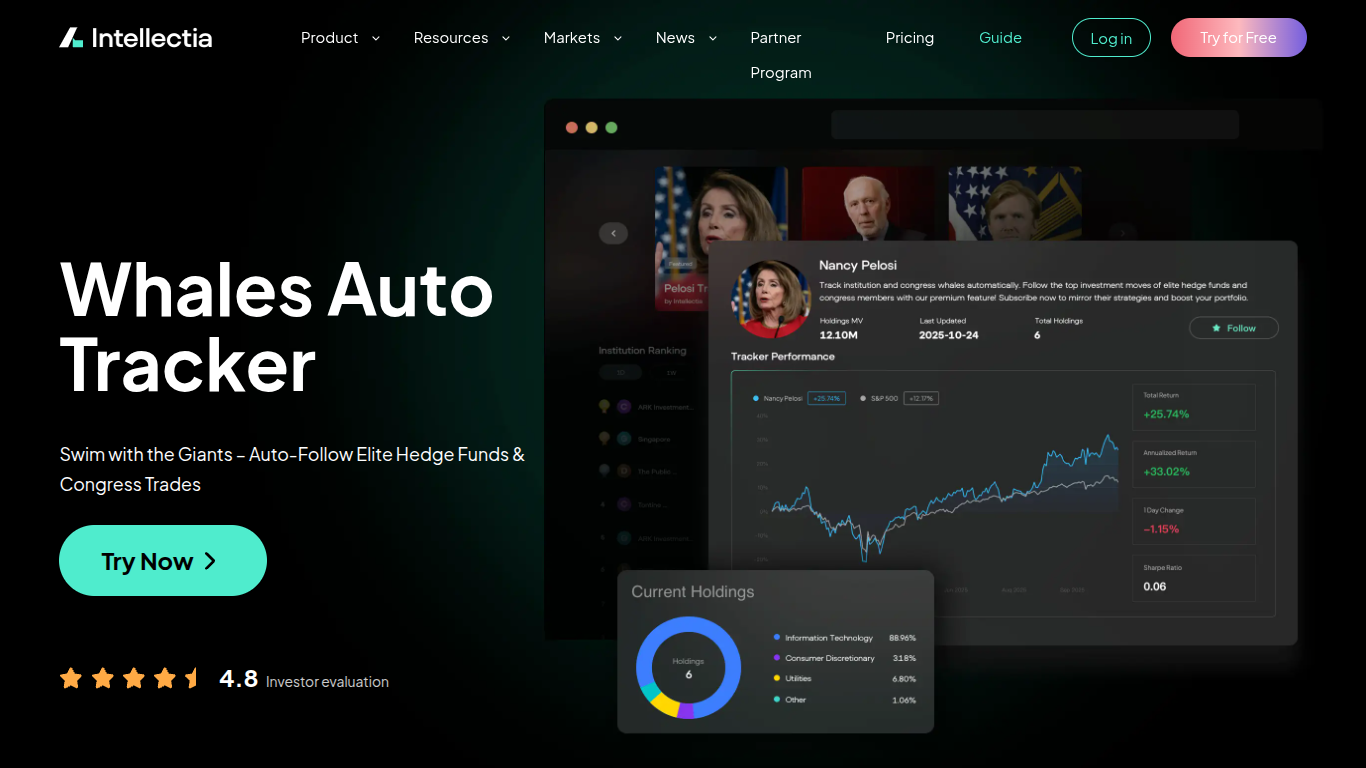
Intellectia’s Whales Auto Tracker and Hedge Fund Tracker monitor large transactions in real-time. If you see a "whale" buying millions of dollars of the stock you are researching, that is a powerful confirmation signal that Gemini cannot provide.
Source: intellectia.ai
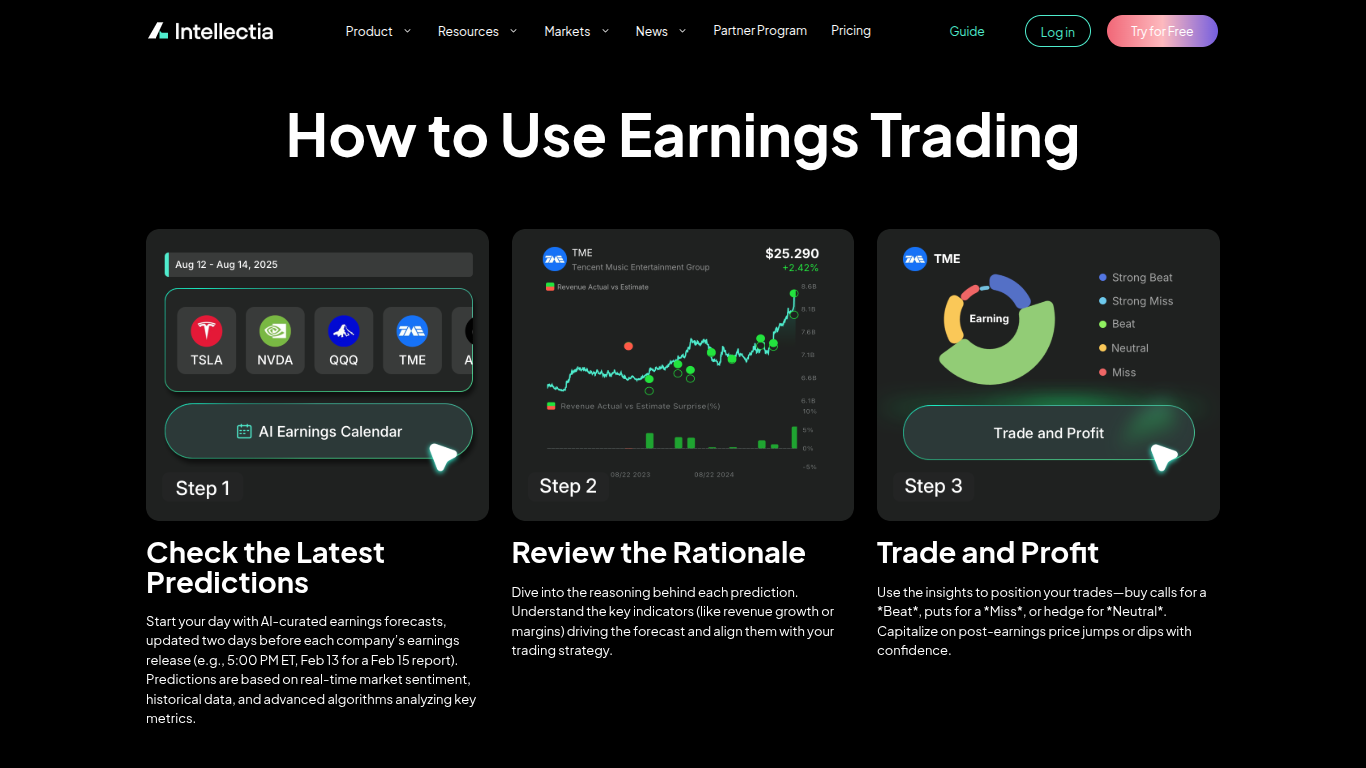
4. Earnings Predictions
Gemini can summarize past earnings, but markets move based on the future.
The AI Earnings Prediction feature analyzes alternative data to predict earnings surprises before they happen. If Intellectia predicts a beat while Wall Street expects a miss, you have a massive opportunity for profit.
Source: intellectia.ai
By using Gemini for the "Big Picture" and Intellectia for the "Execution," you cover all your bases.
Conclusion
The era of reading boring financial spreadsheets for hours is over. With Gemini 3, you can analyze stocks faster and deeper than ever before. It allows you to synthesize vast amounts of data, compare companies instantly, and understand the narrative behind the numbers.
But remember, information is not the same as a trading plan. To turn that research into profit, you need precise signals, accurate data, and real-time monitoring.
Don't leave your portfolio to guesswork. Sign up for Intellectia.ai today to access daily AI stock picks, advanced trading signals, and institutional-grade market analysis. Combine the power of Gemini with the precision of Intellectia, and start trading with the confidence of a pro.
Subscribe now and get the AI advantage your portfolio deserves.