

Loading...

Intellectia LogoIntellectia
AI Trading Bot
Features
Markets
News
Resources
Pricing
Get Started
  1. Resources
  2. >
  3. Help Center
help center bannerhelp center banner

What can we help you with?

Stay informed and ahead with our Blog, featuring expert insights on financial analysis, industry trends, investment strategies, and more.

How to Get Your Usage Status

Keeping track of your usage helps you manage your Intellectia AI resources effectively and ensures you're getting the most out of your subscription. Here's how to check your current usage status:

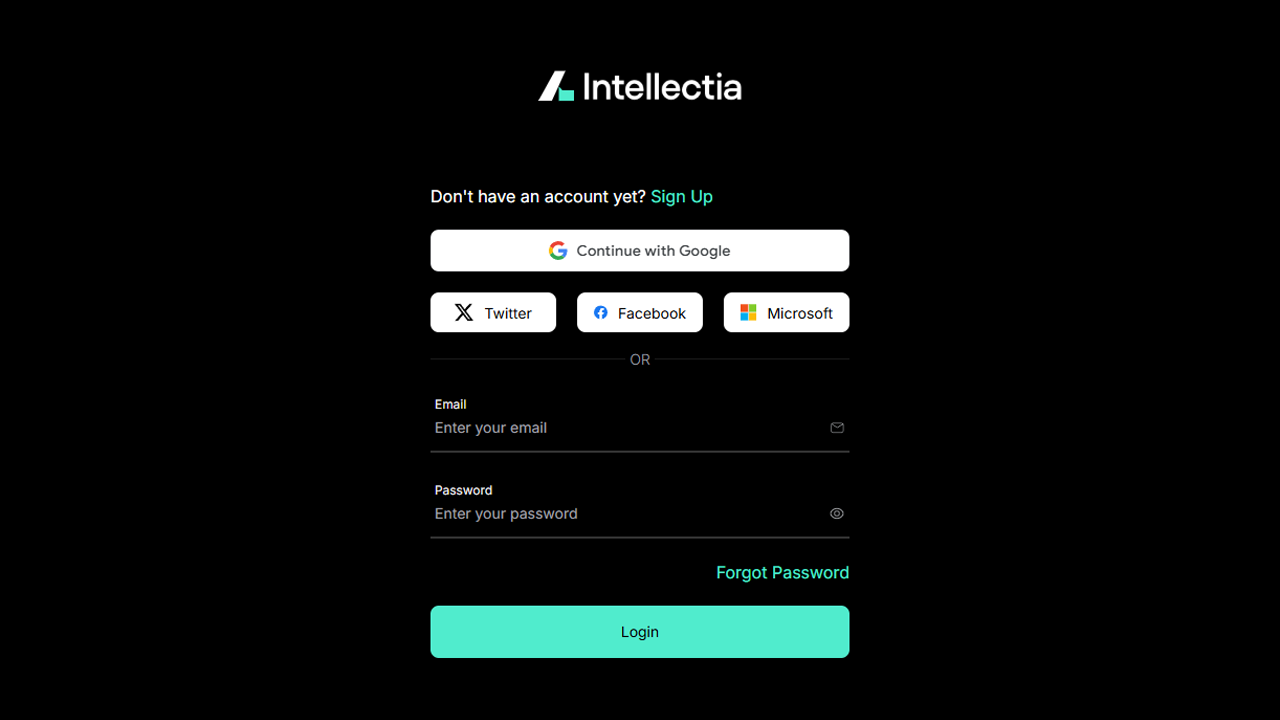
1. Access Your Account

Log in to your account on our website or app.
log in

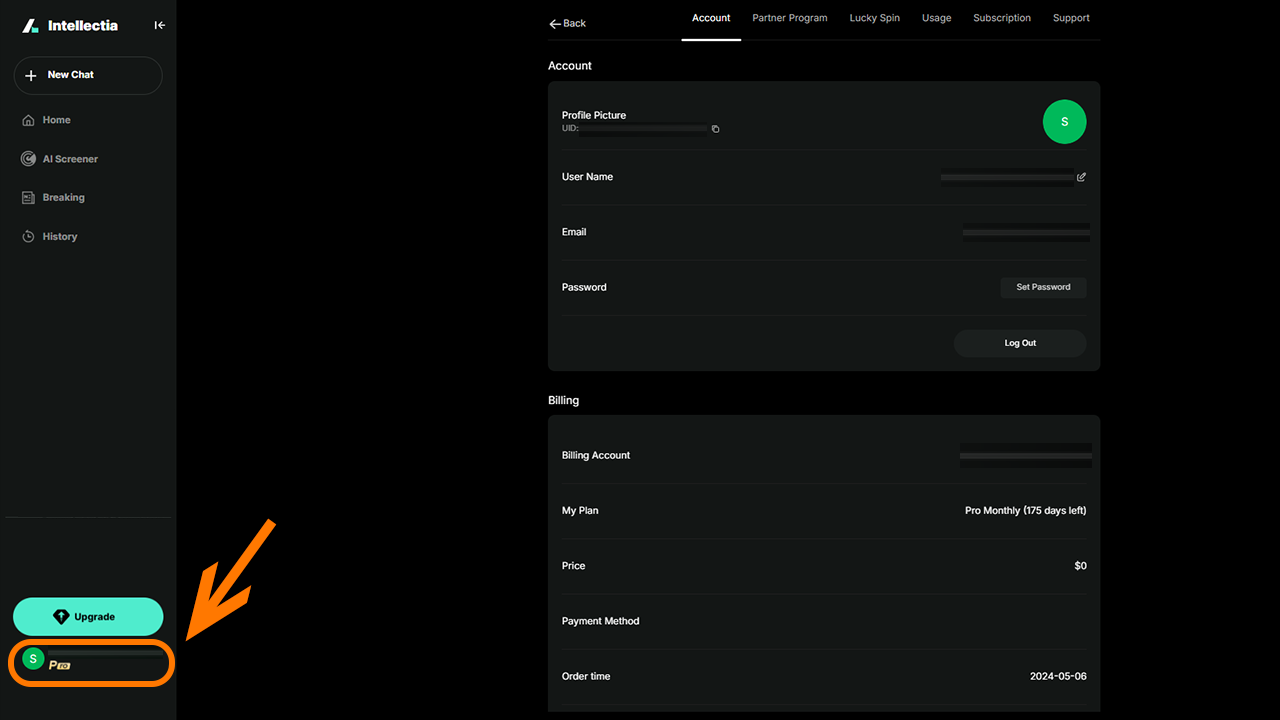
2. Navigate to Account Settings

Look for a section labeled "Account". This is usually found in your profile on the "Lower Left Corner".
account

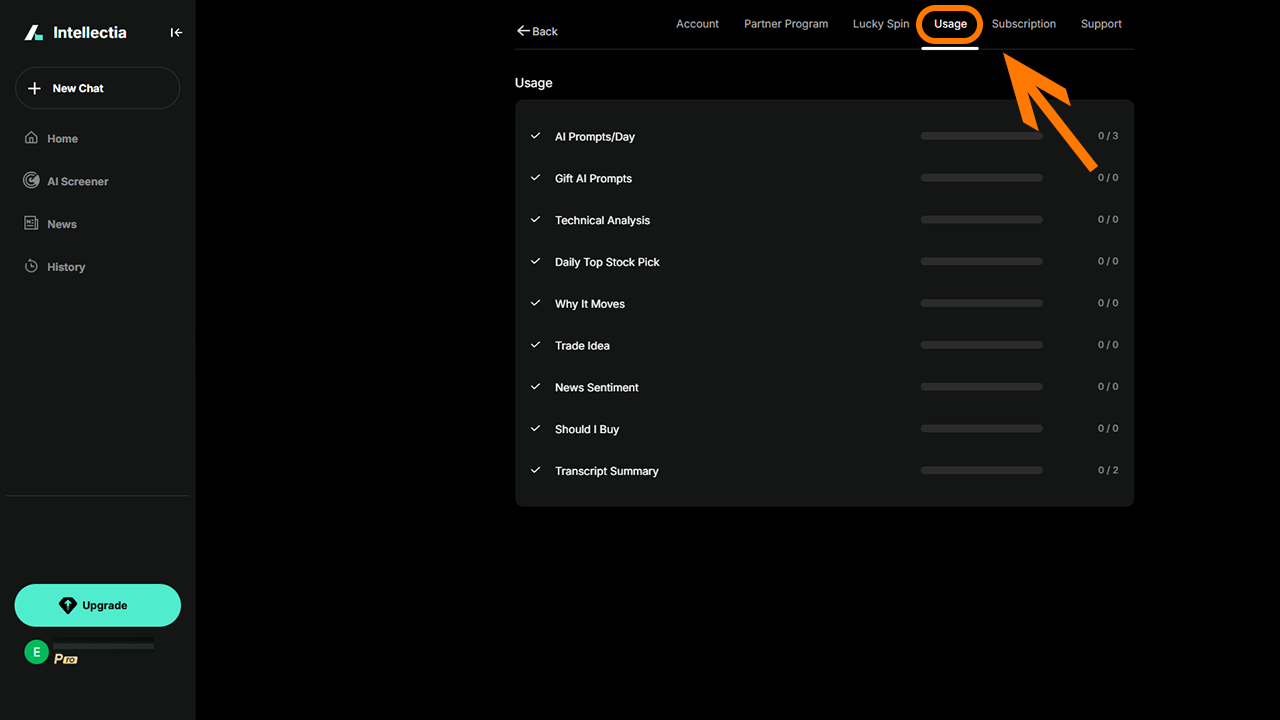
3. Locate Usage Details

Within the designated area (Dashboard), look for the following information:

  • AI Prompts Used: The number of AI prompts you've used during the current billing cycle.
  • Any other usage limits depending on features.
usage check


*Review and Manage: Use this information to track your usage and ensure you stay within your plan limits. If you find you're consistently exceeding your limits, consider upgrading to a higher plan to avoid interruptions.

Example Scenarios:

  • If you have a Max plan with 800 Prompts, your usage would be listed as 800.
  • If you have the Basic plan with 100 Prompts a month, the dashboard would list out how many you have used so far, and the amount left.
Troubleshooting:
  • Can't find the information? Double-check that you're logged into the correct account (the one associated with your paid subscription).
  • Usage seems inaccurate? Allow up to 24 hours for usage data to be fully updated. If the discrepancy persists, contact our support team: contact@intellectia.ai.

outsmart the market with artificial intelligence

Outsmart the Market
with Artificial Intelligence

The most powerful AI stock
analysis & suggestions tool
in the world

S&P 500,stock market record high,inflation May 2026,stagflation concerns,tech stocks rally
Financial Analysis

S&P 500 Hits Record High Despite Inflation Surge: What's Driving Markets in May 2026

Jason Huang2 hours ago
US inflation,CPI report,Fed policy,Treasury yields,inflation investing
Financial Analysis

US Inflation Report May 2026: CPI Surge to 3.8% Shocks Markets and Reshapes Fed Policy Outlook

Jason Huang6 hours ago
US inflation May 2026,Treasury yields,CPI data,Fed policy,Kevin Warsh,interest rates,bond market,tech stocks inflation
Financial Analysis

US Inflation Surges and Treasury Yields Spike: Markets Brace for New Fed Era Under Warsh

Jason Huang10 hours ago
bitcoin price,BTC 2000,crypto rally,CLARITY Act,bitcoin forecast 2026
Financial Analysis

Bitcoin Breaks 2,000: Inside the Crypto Rally Reshaping Markets in May 2026

Jason Huang14 hours ago
an image of Intellectia Logoan image of Intellectia

Most Trusted AI Platform for Winning Trades

TwitterYoutubeQuoraDiscordLinkedinTelegram

Copyright © 2026 Intellectia.AI. All Rights Reserved.

Company

  • Home
  • Contact
  • About Us
  • Press
  • Privacy
  • Terms of Service
  • Service Terms of Use

Resources

  • Blog
  • Tutorial
  • Help Center
  • Affiliate Program

Markets

  • Market Analysis
  • Crypto
  • Featured Screeners
  • AI Earnings Calendar
  • Market Movers
  • Stock Monitor
  • Economic Calendar
  • All US Stocks
  • All Cryptos

Tools

  • Dividend Calculator
  • Dividend Yield Calculator
  • Options Profit Calculator

Features

  • QuantAI Alpha Pick
  • SwingMax Portfolio
  • Swing Trading
  • AI Stock Picker
  • Whales Auto Tracker
  • Daytrading Center
  • Patterns Detection
  • AI Screener
  • Financial AI Agent
  • Backtesting Playground
  • AI Earnings Prediction
  • Stock Monitor
  • Technical Analysis

News

  • Overview
  • Top News
  • Daily Market Brief
  • Earnings Analysis
  • Newswire
  • Stock News
  • Crypto News
  • Institution News
  • Congress News
  • Monitor News

Compare

  • TradingView
  • SeekingAlpha
Intellectia

People Also Watch